

Forum Replies Created
-
AuthorPosts
-
Yes, that explains what’s going on. Wiresock does not change your network settings or add another DNS server from the WG configuration. Instead, it translates and forwards DNS requests to the DNS server from WG configuration instead of the original one. But it does not convert IPv4 DNS requests to IPv6 and vice versa. I’ll think about what can be done about it. However, if your laptop is configured with an IPv4 DNS server in addition to an IPv6 server, then all other applications (such as browsers) should work fine. NSLOOKUP should also work fine if you manually set the DNS server to any IPv4 address. For example, using
server 8.8.8.8or any other IPv4 address will force nslookup to use the DNS server from the WG configuration.Thanks for the details. One question though, how nslookup works without WG (stock or wiresock) activated? Does it try to use the IPv6 DNS servers?
Hmm, while standard WireGuard adds a virtual NIC with an assigned IP address along with the appropriate DNS servers, Wiresock implements the same using Network Address Translation (NAT). For example, the outgoing DNS request is NAT translated to the DNS server taken from the configuration file. However, meanwhile, an IPv4 DNS query is only translated to IPv4, and IPv6 is only translated to IPv6. There is no address translation between IPv4 and IPv6 DNS queries.
I’m not 100% sure, but I suspect your case may be related to these IPv4/IPv6 DNS server differences. If you’re interested, we could analyze this issue in more detail to find a workaround.
P.S. You can try disabling IPv6 on your mobile hotspot to see if this is the case.
In the current version, this is not possible, but I think it makes sense to add such an opportunity.
Yes, it does!
Meanwhile, there is no such tool. When I have spare time, I plan to add a simple user interface for Wiresock VPN Client to provide basic information about tunnel status, IP address, etc.
I also noticed that when I starting the service, the TUN network adapter does not appear, as it did normally when the wireguard client was started.
WireSock does not add a virtual network adapter, NAT and encryption are applied to packets on the fly. This is very similar to how the Cloudflare WARP client works.
[SOCKS5]: S2C_AFTER: 4.0.0.0 : 2304 -> 192.168.1.105 : 64262 etc.
This is my fault, I didn’t test the configuration when both SOCKS5 and Wireguard are running on the same IP. Please download update v.1.1.5 and check how it works.
It looks like you have a firewall in between that is blocking SOCKS5.
If this is the case and if you are interested in further research, I think we could find & add another suitable method instead of SOCKS5.
It’s really weird. It looks like you have a firewall in between that is blocking SOCKS5. Web browsers use SOCKS4 by default, and maybe that matters. To clarify, could you please capture the Dante traffic on the server side? For example, for my test machine in Oracle cloud:
ubuntu@instance-20211213-2206:~$ sudo tcpdump -D
1.ens3 [Up, Running]
2.lo [Up, Running, Loopback]
3.any (Pseudo-device that captures on all interfaces) [Up, Running]
4.bluetooth-monitor (Bluetooth Linux Monitor) [none]
5.nflog (Linux netfilter log (NFLOG) interface) [none]
6.nfqueue (Linux netfilter queue (NFQUEUE) interface) [none]
ubuntu@instance-20211213-2206:~$ sudo tcpdump -vv -i ens3 -w file.pcap port 1080
tcpdump: listening on ens3, link-type EN10MB (Ethernet), capture size 262144 bytes
11 packets captured
11 packets received by filter
0 packets dropped by kernel
The resulted capture in Wireshark:
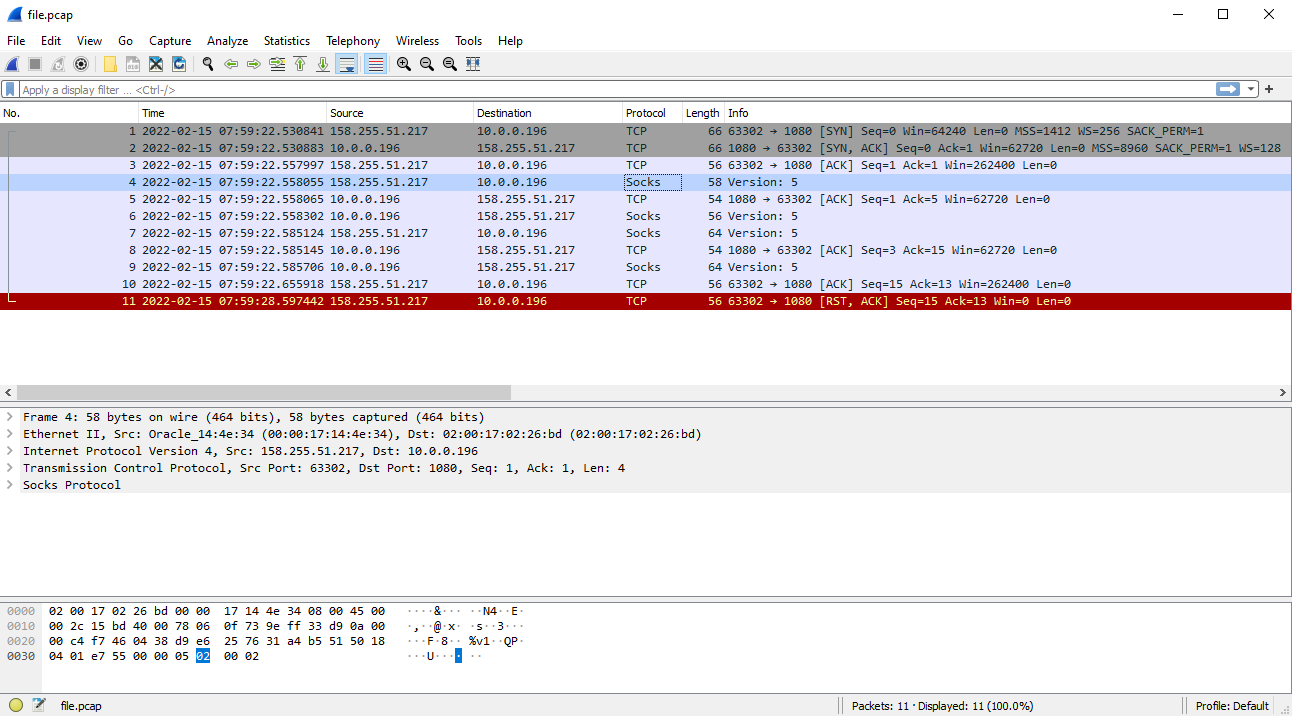
Well, Dante resets the connection immediately after processing the packet with authentication methods:
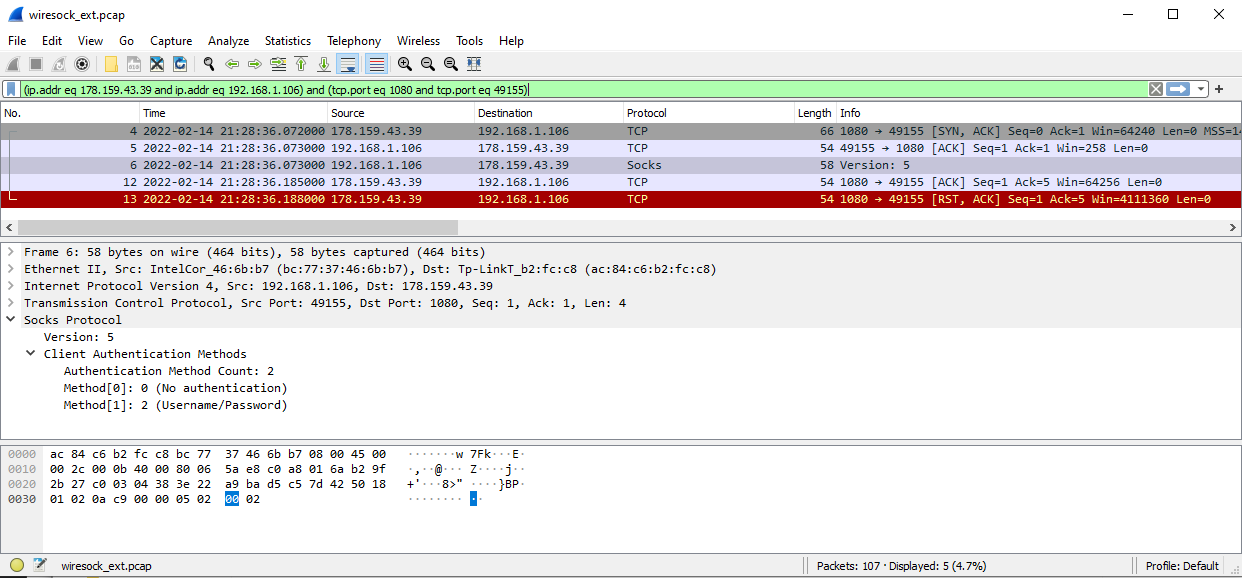
This is confusing if your browser connects fine… Could you please double-check if [CLIENT EXT IP]/32 in Dante configuration file matches your external IP? It behaves like you have a wrong IP address there.
You could try to change it to 0.0.0.0/0, restart Dante and check if it helps. For the security reasons, you could consider enabling username/password authentication.
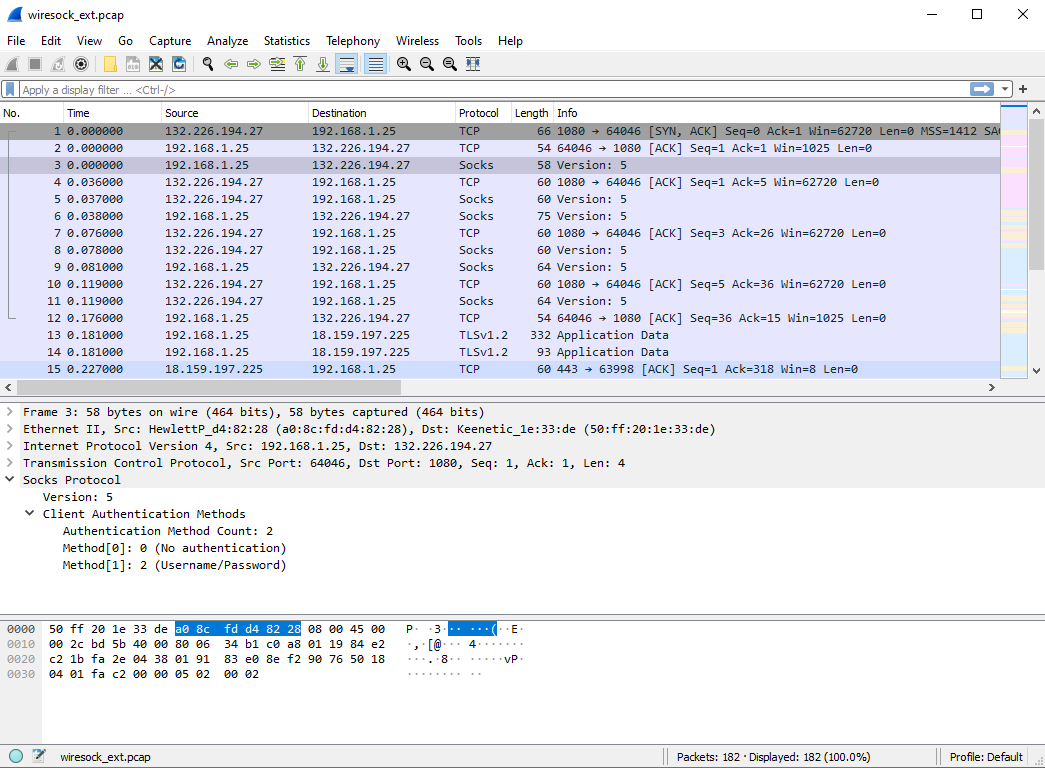
Hmm, a little confusing. However, when you start the application specifying debug level “all” it also creates PCAP files with traffic captures. Could you please share the wiresock_ext.pcap? It should contain something like on the screenshot below:
Good evening, Dziadek!
I think the problem is with Dante server:
[SOCKS5]: associate_to_socks5_proxy: Failed to receive socks5_ident_resp:: 10054Error code 10054 (WSAECONNRESET) means that connection was reset by the remote peer (Dante). How have you configured the Dante server? According to the log, it does not use username/password authentication, right? How have you limited access to it? By an IP address?
Hi,
Sorry, this is my fault, I had not tested the installer on Windows 7. I’ve just updated the installer, please re-download and try to install.
-Vadim
February 8, 2022 at 11:18 am in reply to: DNS resolution through 1.1.1.1 fails if nat mode wiresock is running #12099Thanks for pointing this out, I have fixed it in 1.0.32.
Socksify is just sample demo code to illustrate the approach. It is not supposed to be an end-user application. Also, please note that it does not support UDP, it is TCP only. However, it can be extended to socksify UDP.
-
AuthorPosts
