Topic

wiresock vpn gateway install issue

Viewing 10 posts - 1 through 10 (of 10 total)
  • Author
    Posts
  • #12830
    Maggie
    Participant

    I found out that wiresock vpn gateway setup will fail on certain condition. If the windows server has only one NIC with public IP,it will end up failing to start the wireguard tunnel,here is the error message

    I found out that if the windows server has public IP and only one NIC,wg-quick-config -add -start will fail


    #12831
    Maggie
    Participant

    the error is when wg-quick-config -add -start trying to install the wireguard tunnel,it fails,I try to post the error message here,it won’t let me saying “xxxx seem like spam”

    #12833
    Maggie
    Participant

    Starting Wireguard tunnel…

    Installing Wireguard tunnel:
    StdOut : ”
    tdErr: ‘S t a r t i n g t h e C L R f a i l e d w i t h H R E S U L T 8 0 0 7 0 0 0 5 .

    #12834
    Maggie
    Participant

    failure on other server with one NIC and internal IP

    Starting Wireguard tunnel…

    Installing Wireguard tunnel:
    StdOut : ”
    StdErr: ‘& : The term ‘wireguard.exe’ is not recognized as the name of a cmdlet, function, script file, or operable program.
    Check the spelling of the name, or if a path was included, verify that the path is correct and try again.
    At line:1 char:2
    + &”wireguard.exe” /installtunnelservice “C:\ProgramData\NT Kernel Reso …
    + ~~~~~~~~~~~~~~~
    + CategoryInfo : ObjectNotFound: (wireguard.exe:String) [], CommandNotFoundException
    + FullyQualifiedErrorId : CommandNotFoundException

    #12835
    Maggie
    Participant

    well,I am wrong about my assumption on my first post,it won’t matter public IP or not,most of my test failed,only 2 success out of 10.most case failure on installing the wireguard turnnel(“wireguard.exe” /installtunnelservice “full path of config file”).I am sure the configuration files are all in the path “C:\ProgramData\NT Kernel Resources\WireSock VPN Gateway”,wiresock.conf,wsclient_1.conf and config.json.

    #12837
    Vadim Smirnov
    Keymaster

    The term ‘wireguard.exe’ is not recognized as the name of a cmdlet, function, script file, or operable program.
    Check the spelling of the name, or if a path was included, verify that the path is correct and try again.

    Based on this error message, it seems that WireGuard for Windows may either not be installed or hasn’t been added to the Path environment variable. It’s important to remember to restart the CMD or PowerShell console after installing WireGuard for Windows and before running wg-quick-config. This will ensure that any changes made during the installation process take effect and allow you to run the command without any issues.

    #12840
    Maggie
    Participant


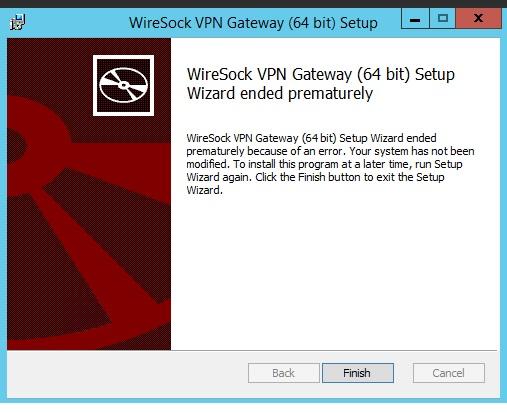
    how about this sort of error

    #12841
    Vadim Smirnov
    Keymaster

    Uninstall, reboot and try to reinstall.

    #12842
    Maggie
    Participant

    It’s not installed yet,reboot and same result.BTW,wiresock vpn gateway won’t work on windows 2008 R2,after  successfully install,the ndis driver won’t work,after a reboot,the system just die I doubt it may be related to the driver digital signing. The older version like winpkfilter 3.7.6.X works fine on windows 2008,but the latest version or even 3.3X version,won’t work on server 2008

    #12843
    Vadim Smirnov
    Keymaster

    1. Determining the root cause of the issue is challenging without access to the MSI log. If you collect one I can check.

    2. It’s important to note that SHA-1 code signing reached its end-of-life on December 1, 2020, and it’s no longer possible to sign drivers for Windows Vista/2008/7/8 using this method. However, an update for Windows 7 added support for SHA-256 code signing certificates, which may also work for Windows 2008 R2. But yes, it is sometimes a real pain to sign drivers for EOL Windows versions.

Viewing 10 posts - 1 through 10 (of 10 total)
  • You must be logged in to reply to this topic.